
Free Meeting Minutes Template | Word Download
You’re sitting in a meeting, engaging in a lot of discussion, and afterwards, everyone remembers something different. This is exactly where a good log comes to the rescue. You don’t need an entire novel; you just need a meeting agenda template that captures the essentials: key points, decisions, responsibilities, and next steps. In this article, you get a free meeting minutes template, clear rules for modern meeting culture, and a workflow that simplifies your coordination with AI. Furthermore, we will show you how to instantly turn meeting minutes into action items in the future - directly in the chat using @createprocolitask.
Keep reading to get your template, along with tips for cross-functional collaboration in international teams across different time zones.
Why do meetings escalate in cross-functional teams and how does a meeting minutes template actually help?
In cross-functional projects, differing goals often clash. One department wants speed, another prioritizes security; one discipline needs depth, while another needs quick choices. Without a standard approach, every meeting consumes more time because no one knows how to properly record results. That’s exactly when meeting communication escalates.
A solid meeting structure takes a pragmatic approach to solving this: It forces every meeting into a clear structure. You define what is relevant and what can be omitted. You organize decisions, and immediately turn conversations into action steps. This boosts your efficiency, ensuring nobody leaves the next meeting wondering what was actually agreed upon.
When you consistently standardize your documentation, it builds trust. Team members can locate decisions, absent participants can grasp the context, and you reduce the number of follow-up questions. It leads to better collaboration because everyone references the same baseline.
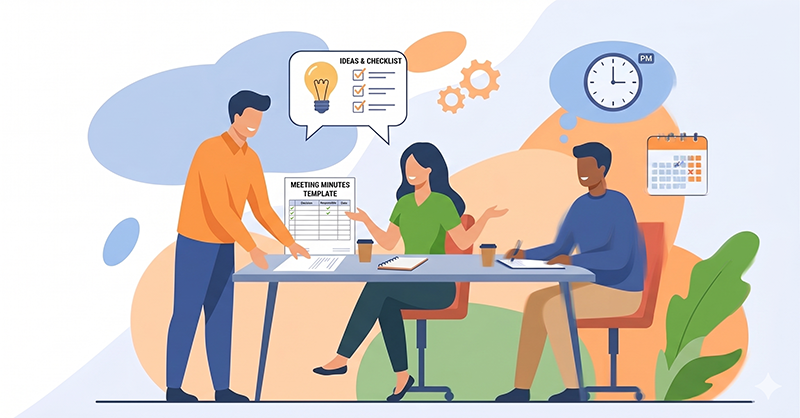
Transcripts vs. Meeting Minutes: What do you really need for a better meeting culture?
Many teams write down verbatim meeting transcripts and wonder why no one reads them. A full transcript documents the proceedings word-for-word or in extreme detail. This might be suitable for highly formal sessions, but not for a time-efficient daily project routine. You don’t want a record that regurgitates 8 pages of conversational fluff. If you use AI transcription, get consent from all participants, but don’t treat it as your "finished board meeting minutes template." Treat it as raw material. Transcripts contain small talk, tangents, redundancies, and half-sentences. That’s precisely why you shouldn’t distribute them as-is. Instead, use them as a safety net: if a question arises later ("Who committed to that?"), you can quickly retrieve the exact wording.
Instead, rely on an effective meeting minutes template. It captures what truly matters: key takeaways, decisions made, open items, responsible individuals, and next steps. With this, your meeting hygiene thrives because your document serves as a steering instrument.
If you still need more detail, opt for a hybrid: an outcome-focused meeting template paired with a short bullet-point summary per agenda topic. This keeps your board meeting minutes template relevant and readable.
Tip
Use our meeting minutes template as a schema input in your prompt to filter out irrelevant information and generate concise results.
What elements define an efficient meeting minutes template? (For Microsoft Word, Excel, etc.)
A meeting agenda template or board meeting minutes template only works if it stays lean. You only include the fields that will later secure decisions and trigger follow-up work.
Rather than chronicling every minor detail, the structure divides the meeting into the following areas: Agenda (list of topics), Conclusions (decisions made), Risks / Open Questions, and Action Items (concrete tasks).
- Agenda: At the beginning of the meeting, topics are set as agenda items. Each point provides a framework for discussion, but concrete decisions, risks, or tasks only arise during its course.
- Conclusions: Following every agenda item, the most critical outcomes and decisions are logged in the "Conclusions" section. The focus is to capture the insight or choice, not the execution details.
- Risks / Open Questions: All identified risks and unresolved queries are gathered separately. These are points needing further clarification or representing uncertainties. They only become Action Items once a concrete next step is derived from them.
- Action Items: This is the only place where tasks are assigned clear accountability ("Owner") and a deadline. Ideally, every Action Item links back to the Agenda, Risk, or Conclusion point that initiated it. Tasks should be phrased to be unambiguously actionable.
- Processing: Unresolved Risks, questions, and Action Items move to the next meeting agenda template. This maintains a clear process and ensures no crucial points slip through the cracks.
The following elements belong in every board meeting minutes template:
- Header with date, session title, meeting attendees, and absentees.
- The agenda with one bullet per topic.
- A results block per item: Outcome, decision, responsibility, due date.
- A collection area for risks/blockers and next steps.
Important
The meeting minutes template stays written and highly scannable. You want to see what was recorded in under 60 seconds. That is exactly why providing an agenda template lightens the daily load: You don't have to search; you just find.
Such a Word template prevents you from drifting into a wall of text. You don't document "who said what", you document "what is valid". You achieve commitment because every decision remains visible. If you like using Word or Excel: Excel is fitting for high-volume Action Items; Word makes sense for context plus a table layout. Both approaches work as long as you maintain consistent meeting hygiene. Essentially, you can use any tool of your choice. In procoli, you will eventually find several customizable templates.
If you intend to distribute your document to stakeholders, export it to PDF first. This ensures no one edits the formatting or contents "by accident."
Maintaining a strong meeting culture: The process before, during, and after the session
A good meeting agenda template isn't just created after the meeting. You build it beforehand. Prior to the session, outline the agenda, define the goals, and state the expected outcome per topic, then distribute the details to everyone. These types of meetings don't happen blindly; they drive towards a clear output.
During the session, steer tightly: every decision ends up as an entry in the meeting minutes. You purposefully lead discussions and conclude them the moment a decision is made. You immediately write down: The resolution, the accountable person, the deadline. This means zero after-hours rework, maximizing your time efficiency.
After the session, circulate the document within 24 hours. State in your e-mail: "Please reply by noon tomorrow only if there are objections." This guarantees rapid approval and circumvents endless loops of corrections.
Creating accountability within your meeting culture
Accountability doesn't emerge from "we should," but from distinct decisions. Therefore, a conclusion belongs in every meeting record—visibly, clearly, and testably. Don't write "Team to check," write "Decision: Variant B. Owner: Max. Deadline: May 12th."
You rely on a clean template because it targets results. It functions flawlessly as long as you formulate critical decisions in a way nobody has to reinterpret later on.
Adding a short note like "Acceptance criteria" makes it even more binding. One sentence suffices. You provide a safeguard because everyone knows precisely when a next step is truly fulfilled.
Keeping meeting minutes: Who takes notes and how do you maintain clarity?
Appoint a minute-taker before the meeting. A capable minute-taker doesn't transcribe everything; they filter. They capture what is pertinent: decisions, responsibilities, next action steps, and risks.
Make the documentation visible during the meeting: Share your screen, type live, get quick verbal confirmations. Doing this limits retrospective arguments since everyone instantly observes what was locked in. This is highly beneficial for cross-functional teams who speak different "departmental languages." Always agree on simple terminology and briefly explain jargon when needed.
For absentee team members, the board meeting minutes template delivers a crisp summary. They instantly see what was finalized and if anything concerns them directly. That’s exactly how you reduce inquiry friction.
International Meeting Culture & Time Zones: Getting everyone on the same page
Global teams introduce cultural variances: directness, tolerance for silence, hierarchies, and decision-making pacing. Do not ignore this. Acknowledge it and provide a mutual standard for the team. This is exactly where an agenda template or meeting structure excels because it translates conversational gaps into structure.
Establish clear ground rules that everyone easily grasps and that genuinely function in the real world: Allot a maximum of 8 minutes for socialization at the start or end, ensuring team cohesion without the meeting running off-track. Decisions are explicitly stated in the document, not lingering between the lines. Objections must be written by a specific cutoff time, stopping arguments from trailing on forever. Furthermore: we separate debate from determining outcomes. First, we gather options; then, we choose and document the result clearly. This is how you synchronize diverse operating methods and respect cultural differences without steamrolling over them.
Time zones and seasonal changes introduce extra friction. Lower this drag with two explicit rules: First, utilize rotating meeting times so the same region isn't consistently penalized with late-night schedules. Second, employ asynchronous pre-work: Issue agenda template questions in writing beforehand, demanding answers prior to the call. Thus, you don't start from scratch; you leap straight into conclusions. Use UTC as a collective time anchor to prevent mix-ups over local clock changes, ensuring deadlines remain unambiguous down to the wire.
Simplifying AI meeting minutes: Key Points, Action Items, Next Steps, Responsibilities
AI-assisted meeting transcripts save time if applied properly. Don't use AI simply for comprehensive verbatim logs; use it specifically for structure: Key Points, Action Items, next steps, and accountabilities can be effectively sourced and filtered. The resulting output is a brief summary document that you can immediately send out.
Work with a rigid output format:
- Key Points
- Decisions/Resolutions
- Action Items (Owner + Date)
- Open Questions for the next meeting
By doing this, your meeting hygiene remains exceptionally lean. You obtain strong documentation, and simultaneously drive consistency across various teams, regardless of whether they use Microsoft Teams, Slack, or E-mail.
Important
Ensure you stipulate rigorous data privacy and confidentiality guidelines before running audio or notes through any AI application. This is a mandatory piece of professional safeguarding.
Making meeting tasks a reality with procoli:
You are now stepping up from "writing a log" to "getting work done." This is where countless teams stumble: They email an excellent summary, and then matters drift into sand. Solve this instantly with an elegant workflow: Every action from the meeting log manifests as a task. Every task demands an Owner, Deadline, Context, and Updates.
Procoli operates seamlessly for this purpose; you will eventually discover flexible templates and automation options. However, peace of mind remains pristine: every team member independently decides whether they want to stay inside their existing tool stack or work directly within procoli. Procoli syncs your preferred software and pushes a centralized overview of your progress. This decreases friction in cross-functional configurations, as no single group requires an abrupt software overhaul.
Moreover, inside an actual meeting, you'll eventually utilize a straightforward command right through your chat window: @createprocolitask. Just write a line like "@createprocolitask: Procure roof bids – Owner: Lea – Due: 05/12," and it instantly blossoms into an active task inside procoli—demanding zero secondary data entry. Instantly, you connect meeting decisions right unto execution.
For external collaborators, Procoli Mini boasts a huge advantage: Link-based collaboration via E-mail omitting any log-in loops. An external partner receives an automated E-mail bridging directly to the task, accesses an interactive web interface, debates the thread, swaps paperwork, and relays feedback. The meeting record is no longer stuck internally but proficiently governs external commitments, too.
Sign up for our waiting list to access early releases of procoli and jump into the @createprocolitask paradigm in the future. You’ll weave your meeting notes, resulting tasks, and external coordination into an effortless flow—all devoid of forcing specific tools down everyone's throats.
Key Takeaways (Short & Sweet)
- Employ a lean meeting summary to secure explicit decisions and Action Items post-session.
- Advance meeting hygiene by prioritizing result-centric layouts instead of word-for-word transcripts.
- Always include an Owner and Deadline across all resolutions and Action Items in your agenda.
- Distribute the document inside of 24 hours, instituting a precise cutoff for vetoes.
- Honor international cultural nuances but uphold standardized meeting outputs.
- Actively mitigate global time zone complications and favor asynchronous pre-work routines.
- Funnel AI functionality primarily for structuring Key Points and Next Steps, avoiding sprawling aesthetic fluff.
- Capitalize on features like @createprocolitask to immediately spawn tasks straight out of meeting conversations, engaging external stakeholders via frictionless link sharing like Procoli Mini.